Pavucontrol
2026-02-19
I had quite the realization last night. I have covered some ground and have learned some things!
I was watching something with my wife before going to sleep last night. We were watching on my new T480. The volume was not as high as I would have liked. I said to my wife “This is something I will work on tomorrow”, but then I thought… “I bet this is a 2 minute fix…”. So I asked ChatGPT if I would have to replace the existing components to get better and louder audio OR if I could make a change with code that would give me immediate improvement.
ChatGPT gave two options.
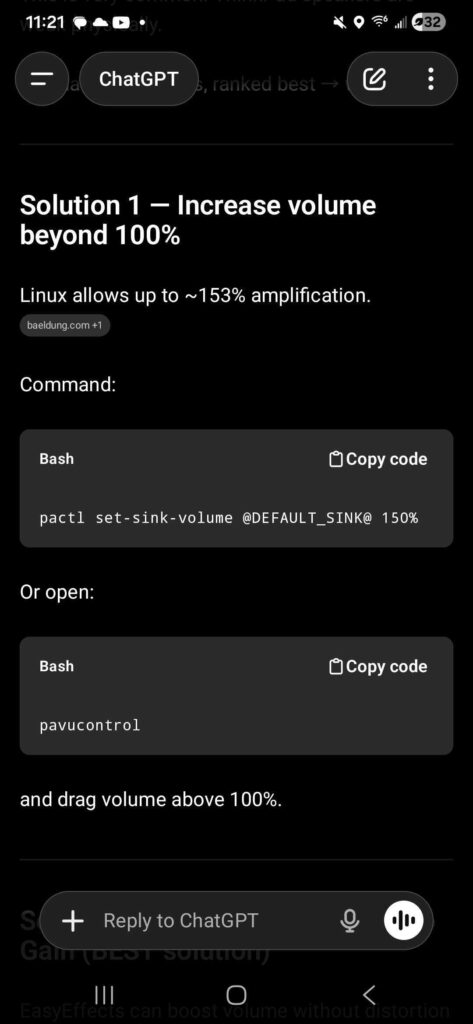
The first one I wasn’t sure about but the second promised what sounded like a simple UI. I just needed something quick to get through what I was watching. In retrospect, I bet the first method would have been more efficient, but I ran with the second method.
My wife knows a little about what I have been up to with Linux and what I have been doing, but she has not SEEN it.
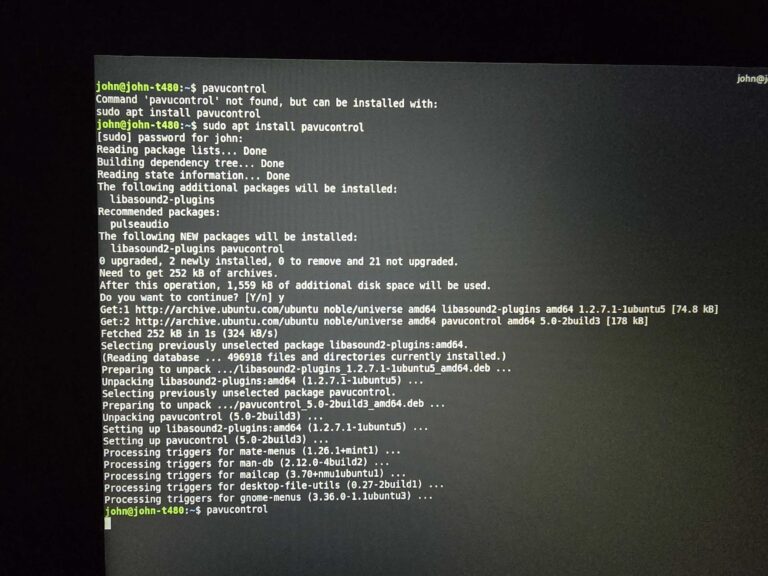
She sat there watching as I opened a terminal window… typed pavucontrol… I was immediately hit with a message explaining to run sudo apt install pavucontrol… so I did that. Impatiently waited for the dependencies and stuff to load so I could hit Y when it came… did that… waited for it to finish and fired off pavucontrol… and the little window appeared… I dragged the slider a bit and the volume improved.
The look on my wife’s face was hilarious. She had no idea what was going on and that I had any clue about how this worked. Like I had just performed a magic trick. In reality this is super basic stuff. I get that, but even I was a little shocked. ha
What so neat about this is that most people would check some settings and figure that if they wanted a louder computer that they’d have to go shopping and try to find one they thought was loud enough. I had no idea you could have this much control over things before I jumped into the Linux world.
I love this. Never going back.