Fixing my own mistake
2026-04-29
I was stretching my legs a big and made a mistake. My Pictures directory was full of memes. They all had a wide variety of file names. I wanted to make my life easier by renaming the files in that directory.
I asked ChatGPT what the proper command would be to make this happen. I wanted all the files in the directory to get renamed to something simple and numbered in sequential order. This would make it easier to move everything into other directories I planned to make for categories of memes.
It gave me this:
i=1
for f in *; do
[ -f "$f" ] || continue
mv -- "$f" "picture$(printf "%02d" "$i").${f##*.}"
((i++))
done
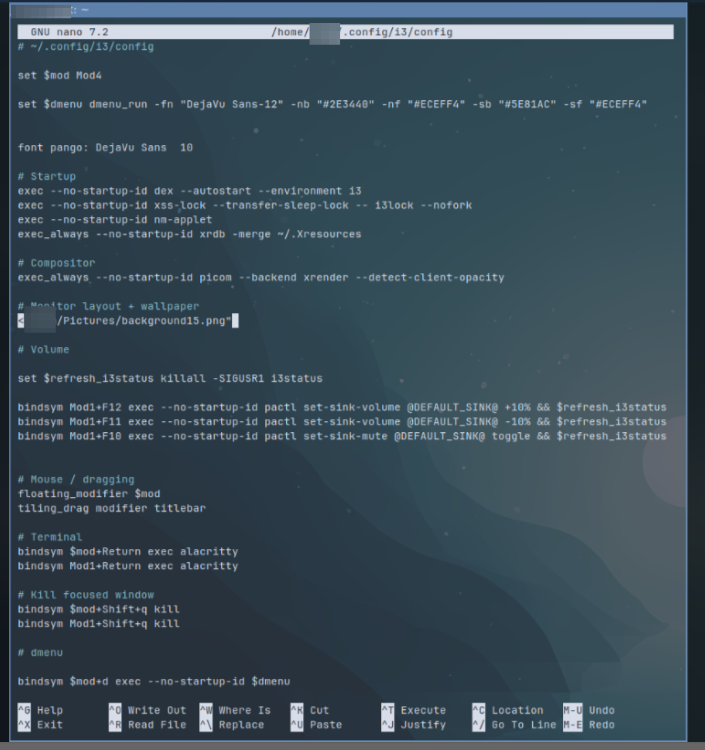
It worked great. However, the next time I turned my computer on the background image for i3 was completely missing (I realize it’s feh, but I have the file path to the background image in my i3 config:
exec_always --no-startup-id sh -c "sleep 2; ~/.screenlayout/monitors.sh && feh --bg-fill /home/XXXX/Pictures/background15.png"This might be a small thing, but I was excited. I realized what I did and was able to solve this without ChatGPT’s help.
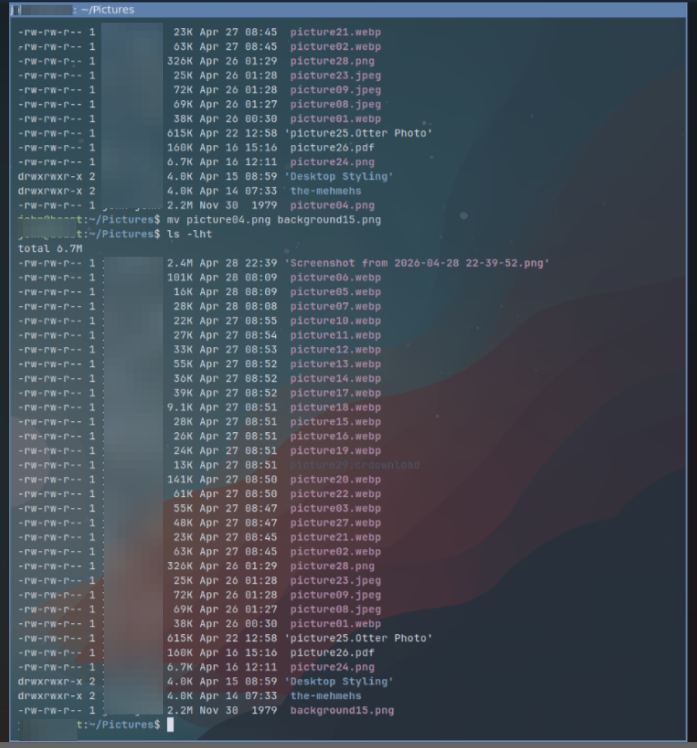
I knew I had left my i3 background image in the Pictures directory. I had done that because at the time I was downloading images to my Pictures directory when trying out different backgrounds. That was lazy and I should have just been downloading directory into a dedicated background directory for i3 instead of using the main Pictures directory. Either way, I forgot I did that and when I ran that script to rename the files in bulk, I nuked the file name i3 was relying on.
I have been using sxiv to view images and used it to review the images and find the correct file to rename. I used the following command to open a simply gallery to browse through:
sxiv -t .To get it up right away I simply renamed the correct image to the original file name. Restarted i3 and DONE!
Not complicated, but not that long ago I refused to run any terminal commands because I was too scared.